Manage privacy export and account deletion
Data Controls contains privacy preferences, a data export action, and account deletion controls. Read each control’s description before changing it.
Review preferences
Section titled “Review preferences”Open Settings → Data Controls. The local view listed Product analytics, Product emails, and Third-party sharing. It states that preference changes save immediately. These labels are choices in the interface; consult the official privacy policy for the full terms of data handling.
Export account data
Section titled “Export account data”Use Download my data when you need the account export. The interface describes a JSON file containing profile, conversations, messages, attachments, API key metadata, and consent history. This is different from exporting one conversation as Word or a Writer document as PDF.
After downloading, check that the file opens and treat it as private account data. Downloading and completeness were not tested during the walkthrough.
Request deletion
Section titled “Request deletion”The local interface describes Request account deletion as queuing permanent erasure of conversations, memories, attachments, and settings, with a 30-day grace period. Before requesting it, read the current confirmation and export anything you need.
The reviewed implementation includes a way to cancel a pending request. Check the deletion status and use the displayed cancellation control within the stated period if you change your mind. Do not treat this draft as confirmation that erasure or cancellation has been tested in production.
For a less drastic change, archive an old conversation or adjust preferences rather than deleting the account.
Recognize the data-control sections
Section titled “Recognize the data-control sections”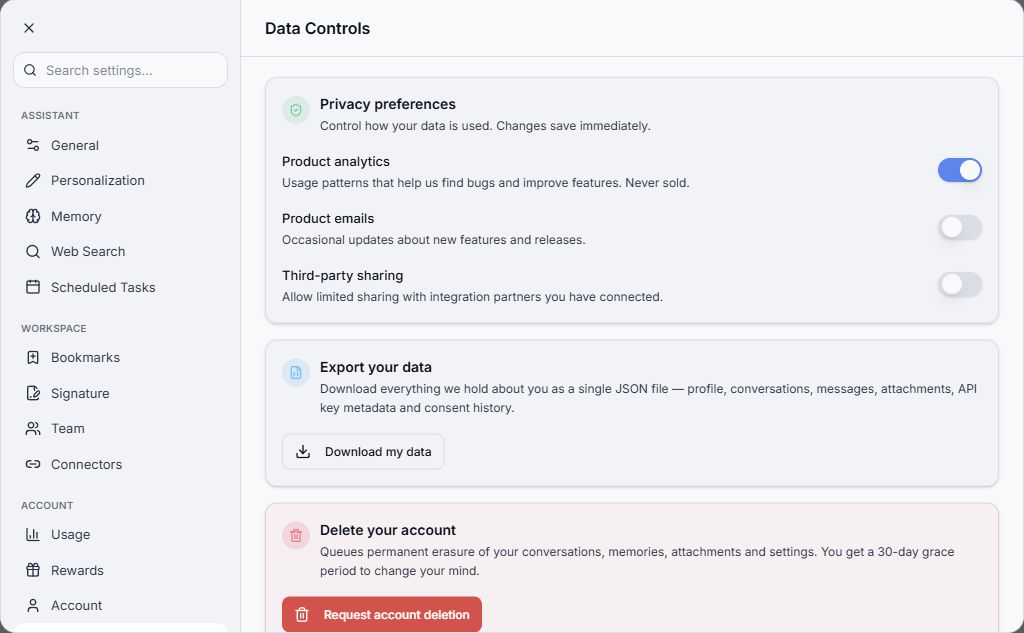
Inspection only. No consent setting, export request, or deletion request was submitted.
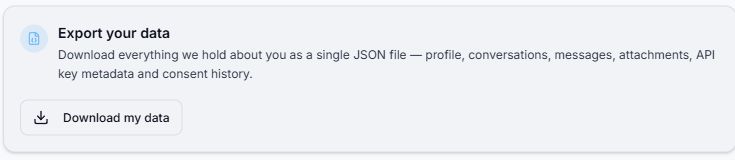
Check what the export includes and store the downloaded file appropriately.