Have your first conversation
Get a useful answer by giving ChatterMate a clear task and the context needed to complete it. You need access to Chat and enough available allowance to send the request.
Watch the walkthrough
Section titled “Watch the walkthrough”Read the video transcript
Let's start a conversation in ChatterMate. Open the model picker to see your choices, or leave Auto selected and let the app choose for this task.
Give the assistant a clear target. Here, we're asking for a product launch checklist with three short points. Naming the format helps keep the answer useful.
Send the message and watch the answer arrive. Before using it, check one thing: did it actually give us the checklist we asked for?
Now let's make that answer more practical. Stay in this conversation and ask for an owner role beside each point. The earlier context is already here.
Take a look at the updated checklist. You can keep refining the detail, tone, or format with a follow-up. That's how a first draft becomes something you can use.
Send a request
Section titled “Send a request”- Choose New chat.
- Enter your goal and any text the assistant should use.
- Leave the reply format on Chat for an ordinary answer.
- Select Send message.
- Read the result and check that it answers your request.
Try:
Rewrite the text below. Preserve the meaning and use a clear, friendly tone.
Text: Our team is making documentation. We need to write steps, make pictures, and check everything before it goes live.
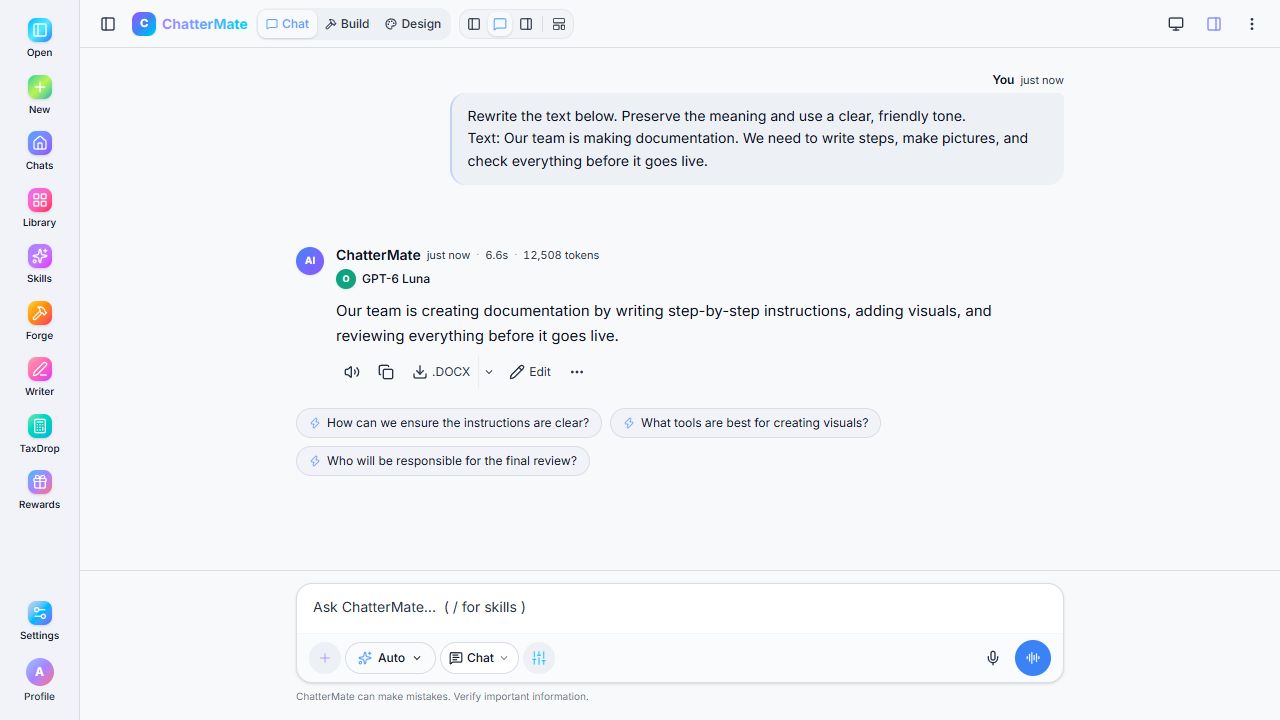
A real local response to synthetic example text. Your wording and model label may differ.
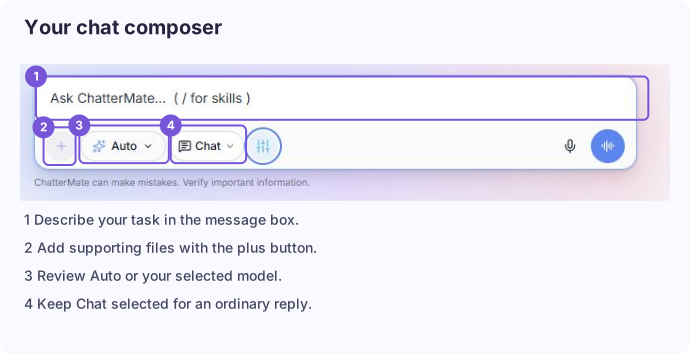
Use the message box for your request and check its controls before sending.
Continue with a follow-up
Section titled “Continue with a follow-up”Stay in the conversation when your next request refers to the previous answer. For example: Make that sentence shorter and keep the friendly tone. Start a new conversation for an unrelated task so the earlier context does not distract from it.
For a better first request, include the audience, format, length, and any constraints. Explain this in five bullet points for a beginner is easier to satisfy than Explain this.
If the answer is too long, ask for a shorter version. If it missed a detail, name the missing detail. Use Stop generating to stop a response that is going in the wrong direction.
Next: Choose a model or open a response in Canvas.