Developer API2 min read
Prepare your first API request
Start with a small text request to confirm your application’s authentication and streaming handling. You need a valid key, the confirmed API base URL, an allowed model identifier, and available account allowance.
Request sequence
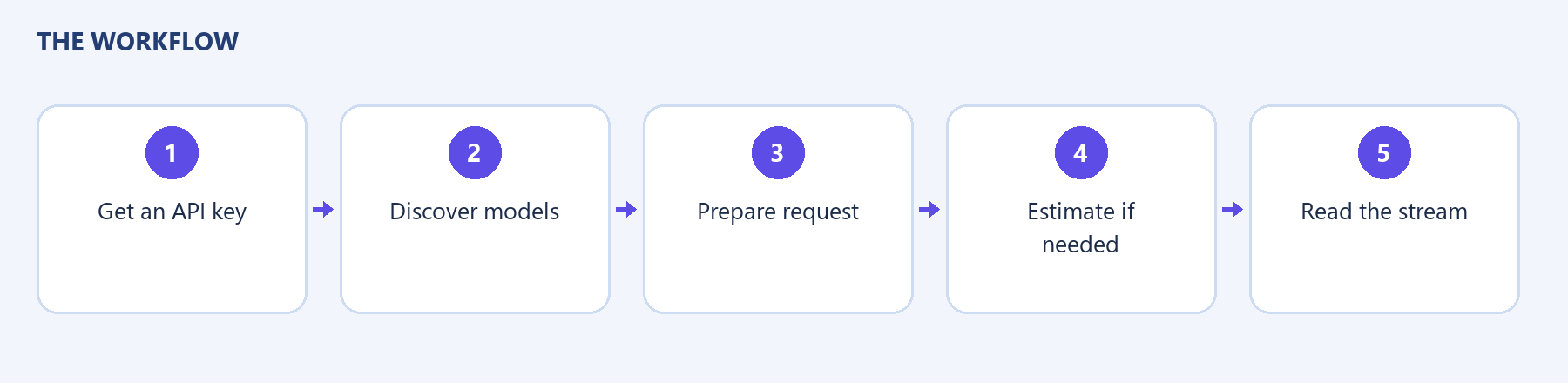
Section titled “Request sequence”- Request GET /api/chat/models with X-API-Key to discover allowed text models.
- Select a usable model identifier from that result.
- Optionally send the same prompt and models to POST /api/chat/estimate.
- Send POST /api/chat/stream with JSON content and accept a server-sent event response.
- Read complete streamed events until completion or an error.
Example request body:
{ "prompt": "Explain what a project brief contains in three sentences.", "models": ["REPLACE_WITH_AN_ALLOWED_MODEL_ID"], "conversation_id": null, "enable_web_search": false}Replace the placeholder. This example is a request-body reference, not a tested production call.
| Field | Meaning |
|---|---|
| prompt | Nonempty request text |
| models | Text model IDs; reviewed schema allows one to four |
| conversation_id | Existing conversation identifier, or null for new work |
| system_prompt | Optional request-level instructions |
| enable_web_search | Optional boolean; defaults to false in the reviewed schema |
| attachment_ids | Optional IDs of already-uploaded attachments; do not assume key-based upload is supported |
Check the current public contract before enabling less common output modes. A browser feature and a supported external API operation are not automatically the same thing.