Use connected providers and review their actions
Connections give a workflow access to an external service within the permissions you approve. The provider list can include Google, Microsoft, GitHub, Slack, Notion, Linear, Jira, LinkedIn, and Indeed; availability and supported actions vary.
Connect with a specific task in mind
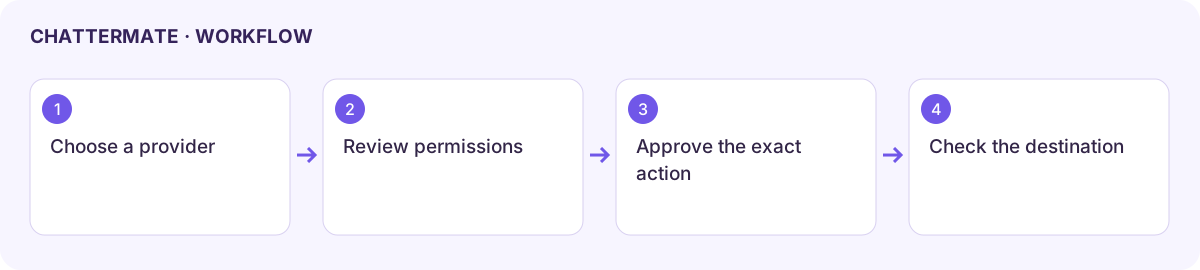
Section titled “Connect with a specific task in mind”- Open Settings → Connectors or the available connections settings.
- Choose the provider required for the task. Read the requested account and permissions before completing its authorization screen.
- Return to ChatterMate and confirm the connected status. A connection is not a guarantee that every action from that provider is supported.
- Start a small task using content you may access. Select the intended file, folder, repository, channel, or project when asked.
- Review any proposed external action and confirm the destination and content before approval. Check the result in the destination service.
| Provider family | What to check before continuing |
|---|---|
| Google / Microsoft | Account, selected document or folder, read versus write access, and export destination. |
| GitHub | Repository, branch, files, and whether the workflow reads or pushes changes. |
| Slack / Notion | Workspace, channel or page, audience, and the exact content of a proposed write. |
| Linear / Jira | Team or project, issue fields, assignee, and status changes. |
| LinkedIn / Indeed | Whether the enabled workflow supports job links, partner search, or another explicitly listed action. |
Reconnect or disconnect
Section titled “Reconnect or disconnect”Reconnect when the provider reports expired authorization, then try the smallest relevant operation. Check the provider’s own access management if you need to revoke permissions. Disconnecting can stop future tasks that rely on that service; it does not undo earlier writes.
For a failed action, retain the provider error and check both account permissions and the chosen destination. Never treat a generated draft as proof that a remote write happened.
Next: connections overview, Writer cloud exports, or Build handoff.
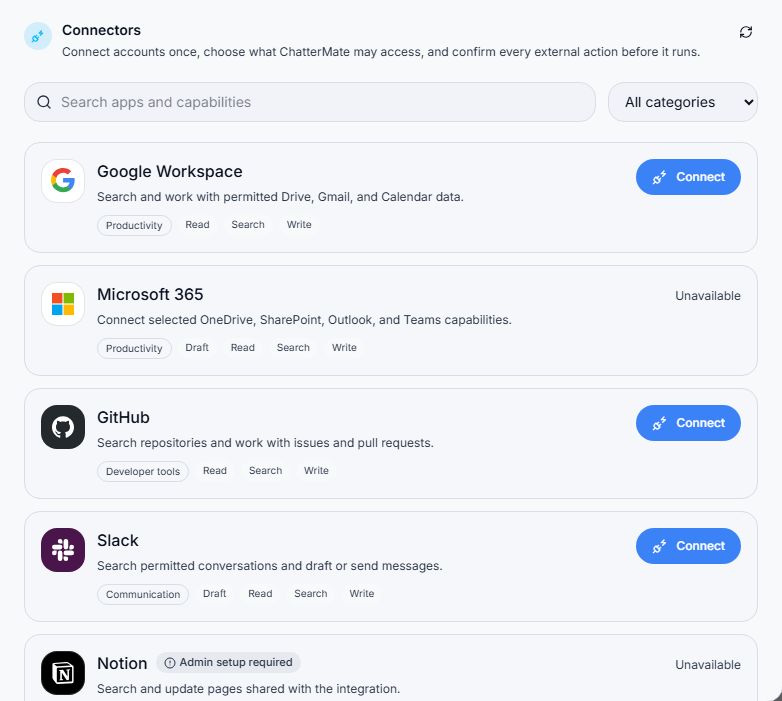
Connectors settings with account authorization controls.
Workflow at a glance
Section titled “Workflow at a glance”